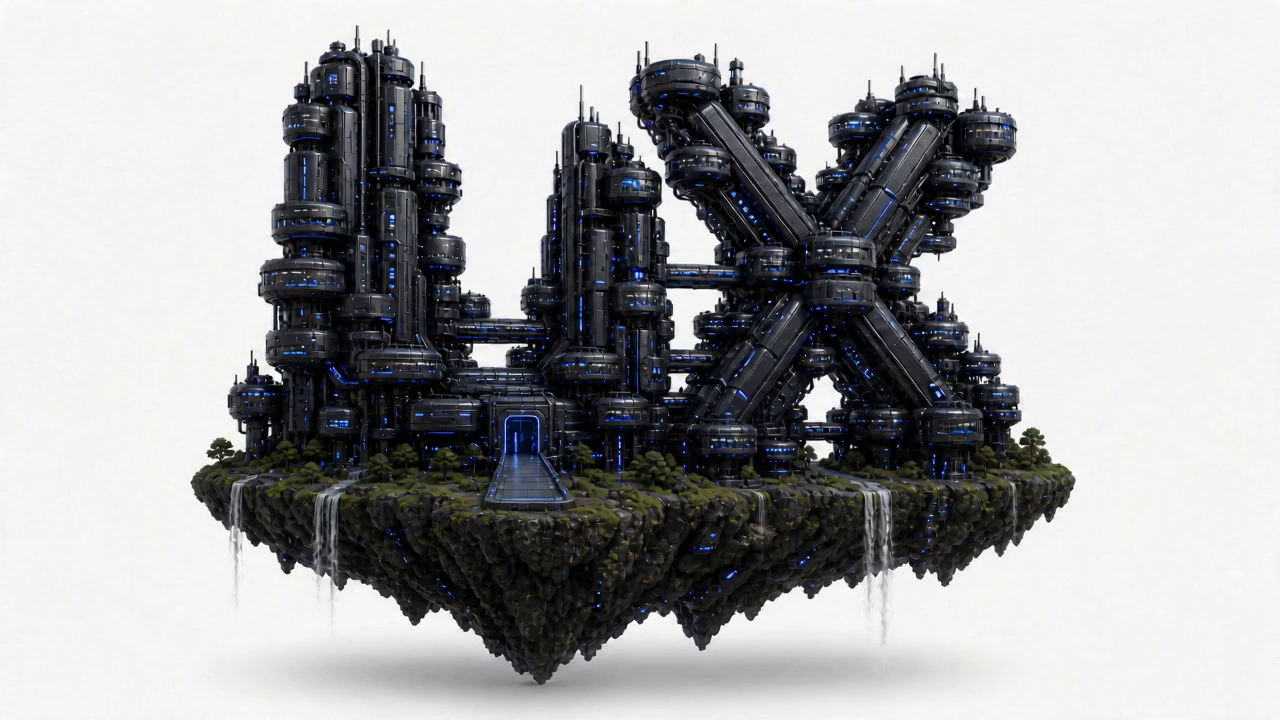
Shape the idea
before we build.
We define the core idea, visual direction and overall experience inside the Strategy Capsule Lab.
This is a shortened sample of a real Blueprint Sprint deliverable. The full document an AI build tool receives runs 30–60 pages. This excerpt shows the shape, depth, and format.
loopd is the fastest way to settle money between friends — splitting a bill, paying someone back, chipping in for a gift — without the awkwardness of asking twice. It is not a bank, not a budgeting app, and not a social feed. It does one thing: move small amounts of money between people who already trust each other, in under five seconds.
A new user completes their first send within 90 seconds of opening the app, with no support article and no failed step.
The happy path is three taps. Every branch below is specified so the build tool does not invent its own.
Balance glanceable at top, 3 quick actions, activity feed below. The first thing seen on every launch.
Recent first, alphabetical search fallback. Avatars, not just names, to reduce mis-sends.
Oversized numeric entry. Note field optional. Primary button anchored, thumb-reachable.
Confirmation with the 5-second undo. Celebratory but fast — never blocks the next action.
Handed to the build tool as variables so the result is coherent, not "AI-generated default blue."
The blueprint ships as a structured master file. This is the opening of the actual loopd.md an AI tool receives:
Tell us what you're building. This is the intake that becomes your discovery session — the more we know, the sharper the blueprint.
Now lock your 60-minute discovery call — pick a time that suits you and we'll take it from there.
You just watched one scroll do it. A real Sprint gives you the full master blueprint — every screen, every step, and the bits that usually break — ready for Lovable, Bolt, Cursor & Claude.
Book a SprintYou just watched it happen. That scroll was our process — idea in, build-ready product out, in 24 hours. AI tools build exactly what they're told. We make sure they're told the right things.
A blueprint only a senior product team could write. In 24 hours.
A focused session that pulls the real product out of your head — who it's for, what it must do, and the parts you haven't thought about yet.
Positioning, audience, and the jobs your product must win. Decisions, not options.
Every screen, every step, and the bits that usually break — the structure that keeps AI tools honest.
Type, colour and styling decided up front, so the result doesn't look AI-generated.
Compressed by Brieftify, refined by senior designers. Not a prompt — your entire product, thought through before a single line of code exists.
Everything your AI builder needs. Nothing it has to guess.
We define the core idea, visual direction and overall experience inside the Strategy Capsule Lab.
The Creative workspace turns the direction into clear pages, interactions and a cohesive visual language.
The Build floor turns the design system into a responsive, fully functional website.
The Launch station checks every feature, organises the files and carries the completed project through the handoff gate.
Six selected projects across AI products, banking, operational tools, health and experimental work. Scroll to rotate the archive.


Book a Sprint and tell us what you're building — a few sentences or a rough sketch is plenty. No tech spec, no jargon required.
A senior working session that pulls the real product out of your head — who it's for, what it must do, and the parts you haven't thought about yet.
Within 24 hours of the call, your full build-ready blueprint lands — ready to paste into Lovable, Bolt, Cursor or Claude.

The senior judgment behind your blueprint.
UXlicious is led by Marcus Yick — a product designer with 10 years shipping real products and founder of the studio. A Sprint is not a junior filling in a template; it is a decade of product decisions, compressed into 24 hours.
Hong Kong local leader of the Interaction Design Foundation (IxDF).
Taught UX design at Xccelerate for three years.
Guest-lectured on UX at Cyberport.
Turns rough product ideas into clear structure, screens and build-ready briefs.






Real Google reviews from past UX and product work. No Sprint claims, no invented proof.
"They identified pain points in our user flow — onboarding was losing 40% of users — and the revised flow cut that drop-off by half. Our App Store rating went from 3.8 to 4.5. UXlicious delivered more than a good-looking app; they built something that actually works better."
"We worked with UXlicious on our AI app and the outcome went way beyond nice design — it improved our conversion rate, sign-ups, and retention. They pushed us to think deeper about what matters to users, not just what looks good."
"We’re running a hotel booking website and UXlicious helped us improve our UX/UI design and user journey. They did user research and gave clear, practical suggestions that really fit our business needs. Easy to work with and a good choice for any Hong Kong company doing digital."
"Great experience with UXlicious very professionally yet collaborative team. We got to work directly with their senior designers. They delivered high quality work that turned our requirements into stunning products. Focused on problem solving for our e-commerce website with business impact other than just pretty designs (which is not that common in HK!) Really frictionless to work with them very satisfied with their delivery."
"這次找了UXlicious design app的 UI/UX。他們的designer在第一次會面時已經準備充足,找了很多資料。不但能快速理解我們的需求,也定時update我們新的progress,最終交付的design files我們也非常滿意。
Thank you UXlicious!"
Built for people who are done waiting.
NOT A FITShopping for the cheapest prompt? There's a marketplace for that. Want your product actually thought through before AI builds it? You're in the right place.
A structured master blueprint file (.md) optimised for AI build tools, plus a designed summary document. User journeys, screen-by-screen detail, the bits that usually break, visual direction — everything listed above.
Lovable, Bolt, Cursor, v0, Replit, Claude — any tool that accepts detailed written instructions. We tailor the format to the tool you're using.
Your follow-up session covers refinements. Bigger pivots can be handled with Iteration Sessions or a second Sprint at a returning-client rate.
Yes — that's our Blueprint + Build service, from US$9,500, with your Sprint fee credited in full.
You can — and it will confidently produce a generic one. It doesn't know what it doesn't know: the things that quietly break, the dead-ends in the flow, the visual calls that separate a real product from a demo. That judgment is what you're buying.
Just your idea, in whatever state it's in. A napkin sketch is fine. The discovery session is designed to extract the rest.
One session. One blueprint. One day. Stop prompting in circles — start with a product that's already been thought through.
Book a Sprint →US$1,950 flat · Limited Sprint slots each week — every blueprint gets senior attention.